From "start free" to your first checks, in five steps
There is nothing to install. ReadyAED runs in the browser on desktop, tablet and phone. Tell us about your program, our team sets up your account, and your coordinator takes it from there.
What happens after you say yes
Tell us about your program
Start free, or request a quote for a larger program. Your organization, your sites and roughly how many AEDs.
We set up your account
The ReadyAED team creates your organization and your coordinator, and adds your AEDs from your list or spreadsheet.
Invite inspectors
Your coordinator invites inspectors by email. They set a password from the link in the invitation.
Assign sites
Each inspector sees only the sites they look after. Sub-managers can run a campus or region.
Print QR labels
Every AED page prints a label. Stick it on or beside the AED. Scanning it opens that AED's check.
The rhythm of a ready program
Real screens from the app, in the order your team meets them.
-
 1
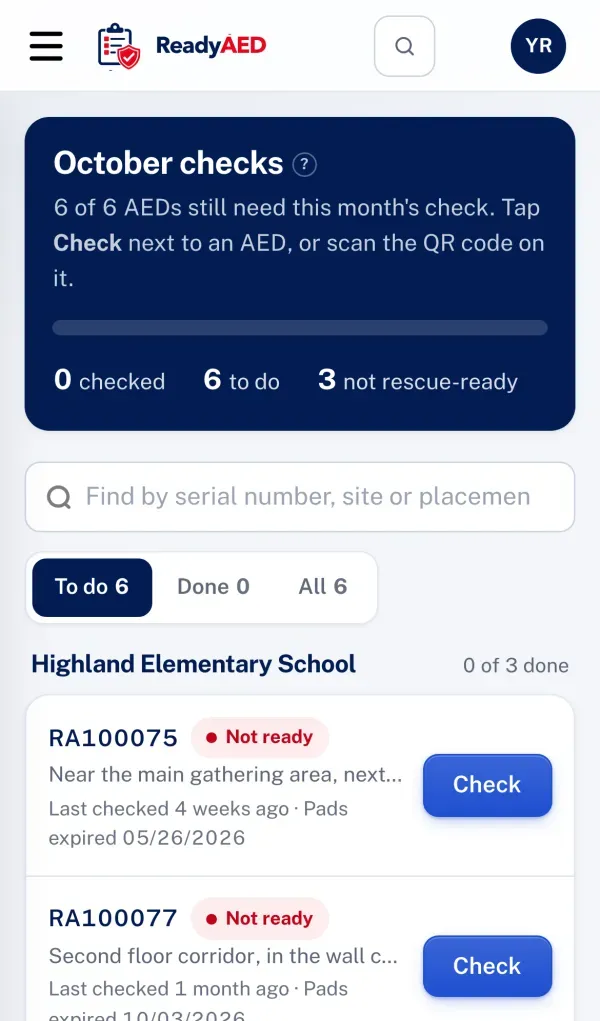
The inspector opens My checks.
This month's AEDs still due at their sites, with a progress bar. Or they scan the QR label on the AED and its check opens.
-
 2
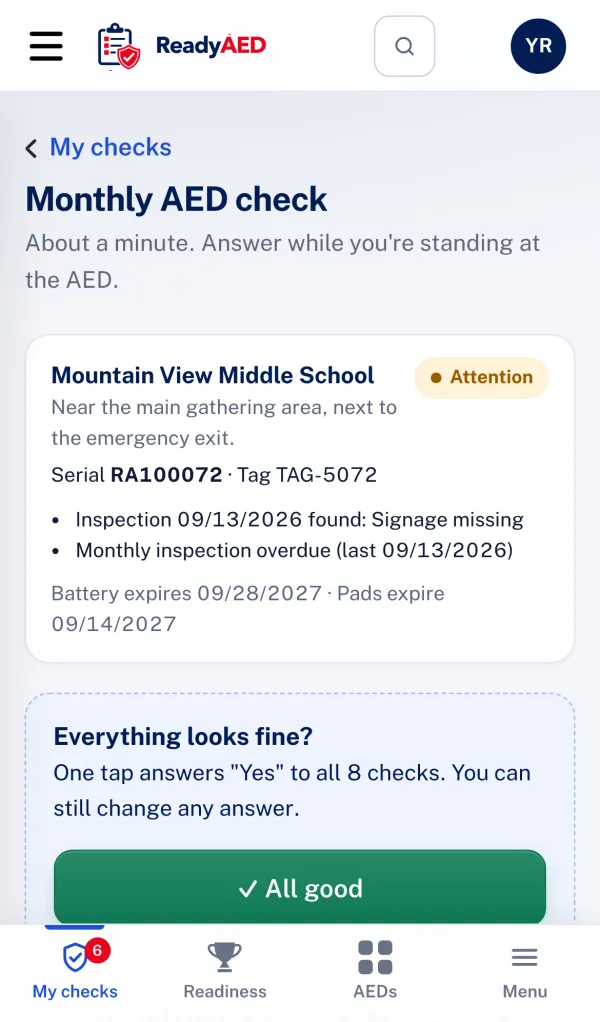
Three taps at the AED.
Eight items, each Yes, No or N/A. All good answers Yes to all eight in one tap, and Submit check saves it with their name and the server's time.
-
 3
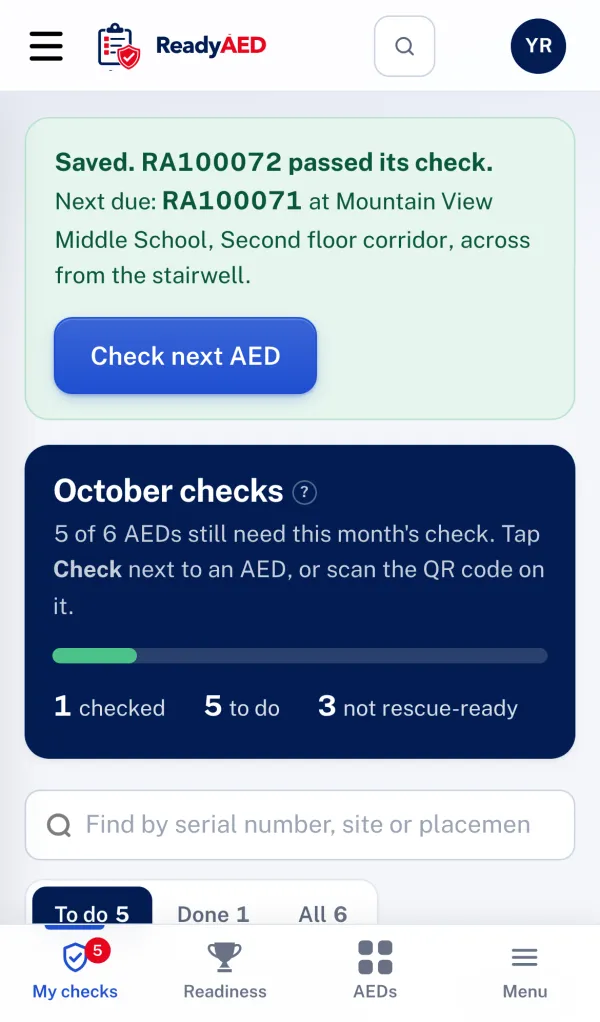
On to the next one.
After saving, ReadyAED names the next AED due at the same site, one tap away, and the month's progress moves on.
-
 4
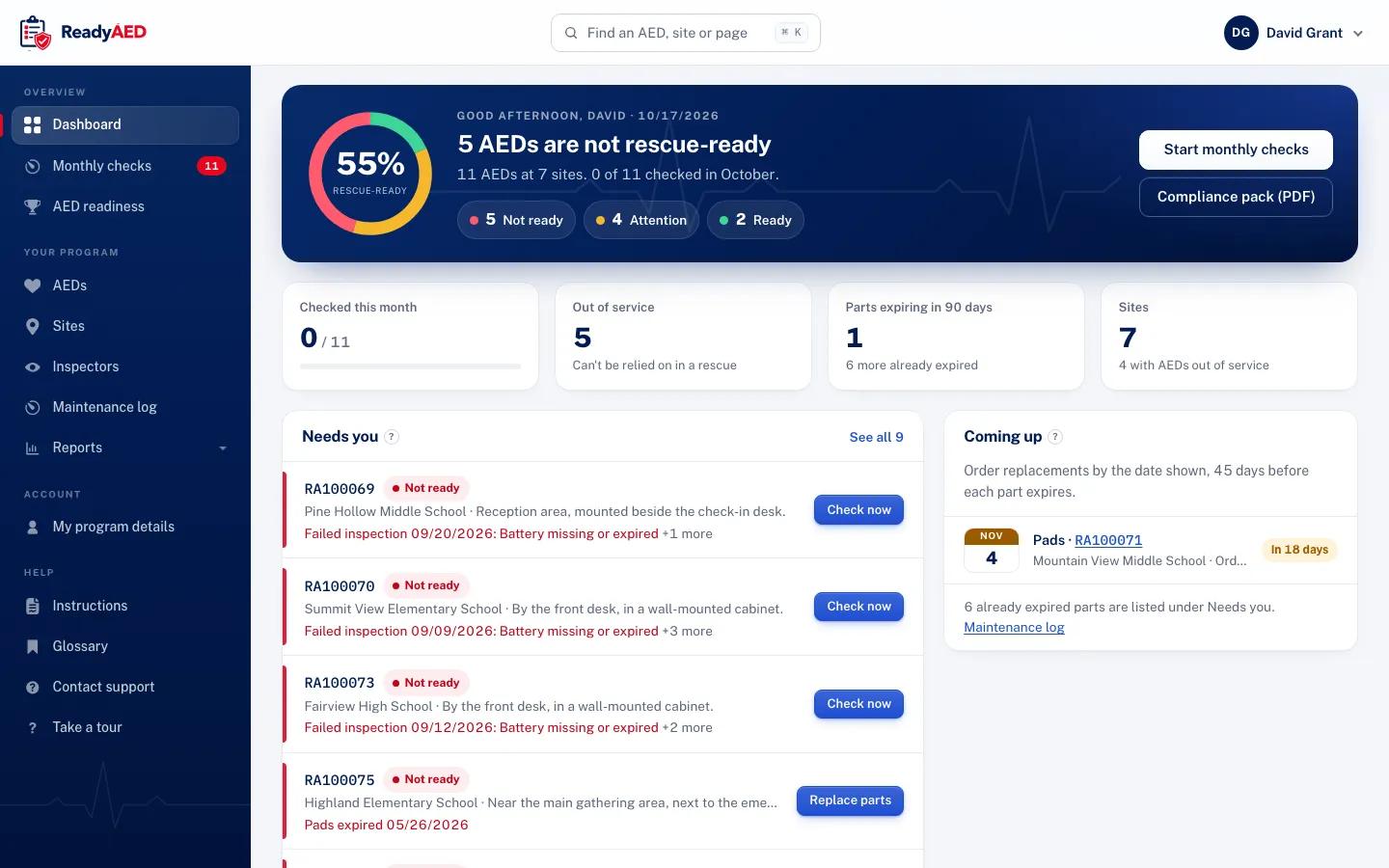
The coordinator fixes what needs fixing.
The home screen leads with Needs you, the most urgent AEDs with one action each, and Coming up, the parts to order before they expire.
-
 5
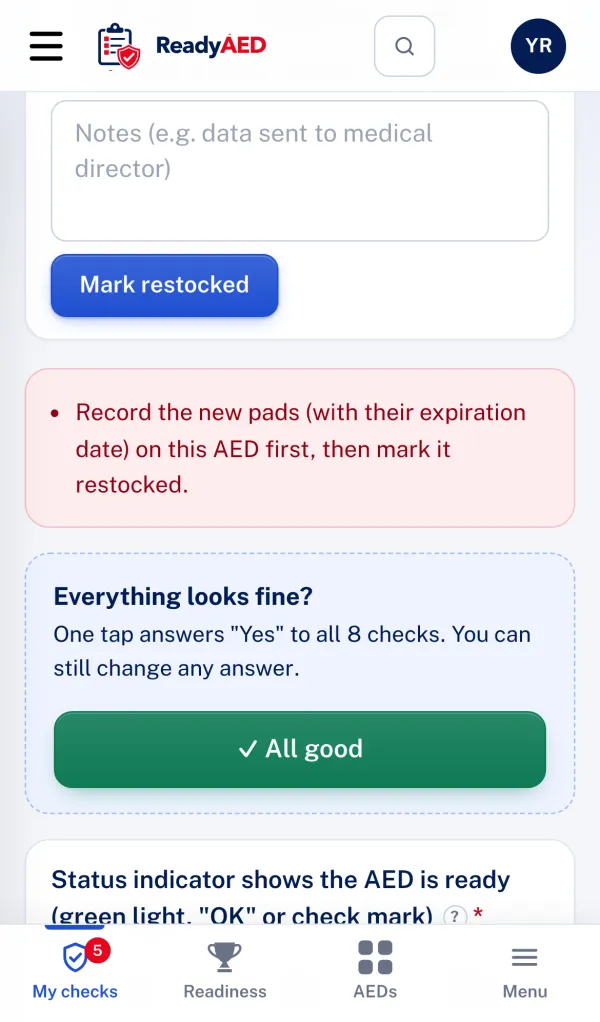
After a rescue, nothing slips.
The AED stays Not ready, and Mark restocked is refused until new, in-date pads are recorded. Then the monthly check opens to confirm it.
-
 6
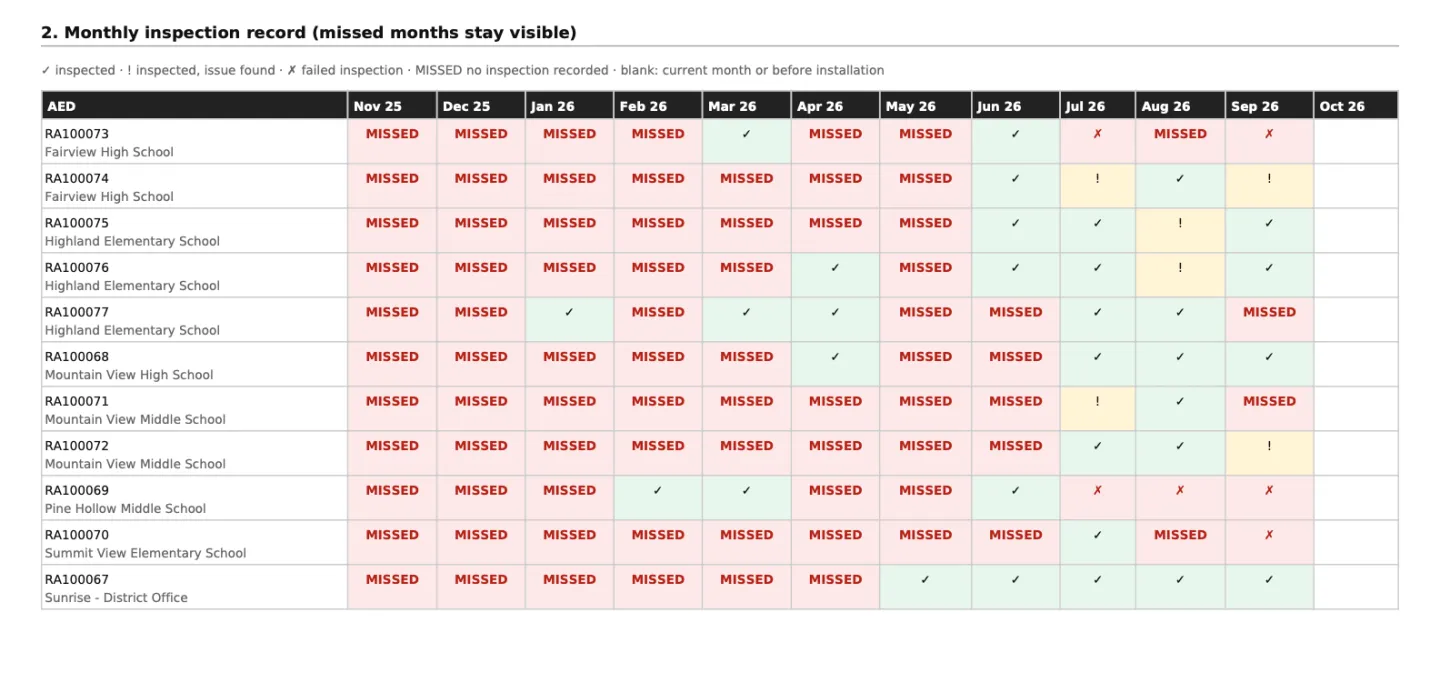
Proof is one download.
The compliance pack PDF: current status, a 12-month grid where missed months stay visible, every check with its signer and every rescue.
Screens from the app with a made-up school district. Some show features from the app's next release.
Before you start
Want to see it with your own AED list first? Book a demo and bring your spreadsheet.
Can we sign up online?
Online sign-up and card payment are on the way. Today, Start free and Request a quote both take a few details, and our team sets up your account so it starts with the right structure. See what happens next.
What do we need to have ready?
A list of your sites and AEDs with their placement, and the pads and battery expiry dates if you have them. An AED without dates shows Attention until they are recorded, so nothing gets missed.
How do inspectors get access?
Your coordinator invites them by email. They set a password from the invitation link and see only the sites they are assigned to.
Which devices work?
Any modern browser on a phone, tablet or computer. On a phone ReadyAED shows a bottom tab bar made for checks, and every list turns into cards. It needs an internet connection.
Can we try it before we pay?
Yes. The Free plan covers up to 3 AEDs for as long as you like, and paid plans start with a 30-day free trial. See pricing.
Try ReadyAED with your own AEDs
Start free with up to 3 AEDs, or tell us about your program and we will send a quote. Prefer a walkthrough? Book a demo.